ScanTron Grading
Before on-line testing, teachers would use bubble sheets where students would
fill in the bubbles. Students were always told to use a #2 pencil. To grade the tests,
teachers would have have to run the tests through a machine. In addition, to having to
wait their turn to grade, the machines were not accurate. I developed an app and PC program
that uses computer vision techniques.
My detecton technique turned out to be SUPERIOR to the machine. My software is able to detect
the manual marks whether they are drawn by pencil, pen, marker, no matter what the color.
The technique I developed I nicknamed uniformity coefficient. The software
looks how uniform the printing is. A manual mark, no matter what color it is in, will not
create a uniform mark, which allows the software to detect human marks.
Summary:
All of routines are native and run on iPhone and Windows directly. OpenCV was not used because
it was too heavy weight to load. Deskewing, edge detection, and color detection was all done by
reading the bitmap directly. All of the testing was done in MatLab prior to coding.
Technologies used:
Computer Vision (CV) using custom coding, Bitmap reading, bitmap manipulation, uniformity calculation, writing to bitmap with colors and text,
deskewing.
This is a full ScanTron form that filled in using the familiar #2 pencil and
graded by the machine and my app.
In the upper left is a pixel and rotation of the name block. Therefore,
the teacher does not have to rotate the form to read the name. Each question
is marked.
Technologies we can see:
copying and pasting pixels on a pixel image, writing to pixel image, reading pixels
copying and pasting pixels on a pixel image, writing to pixel image, reading pixels
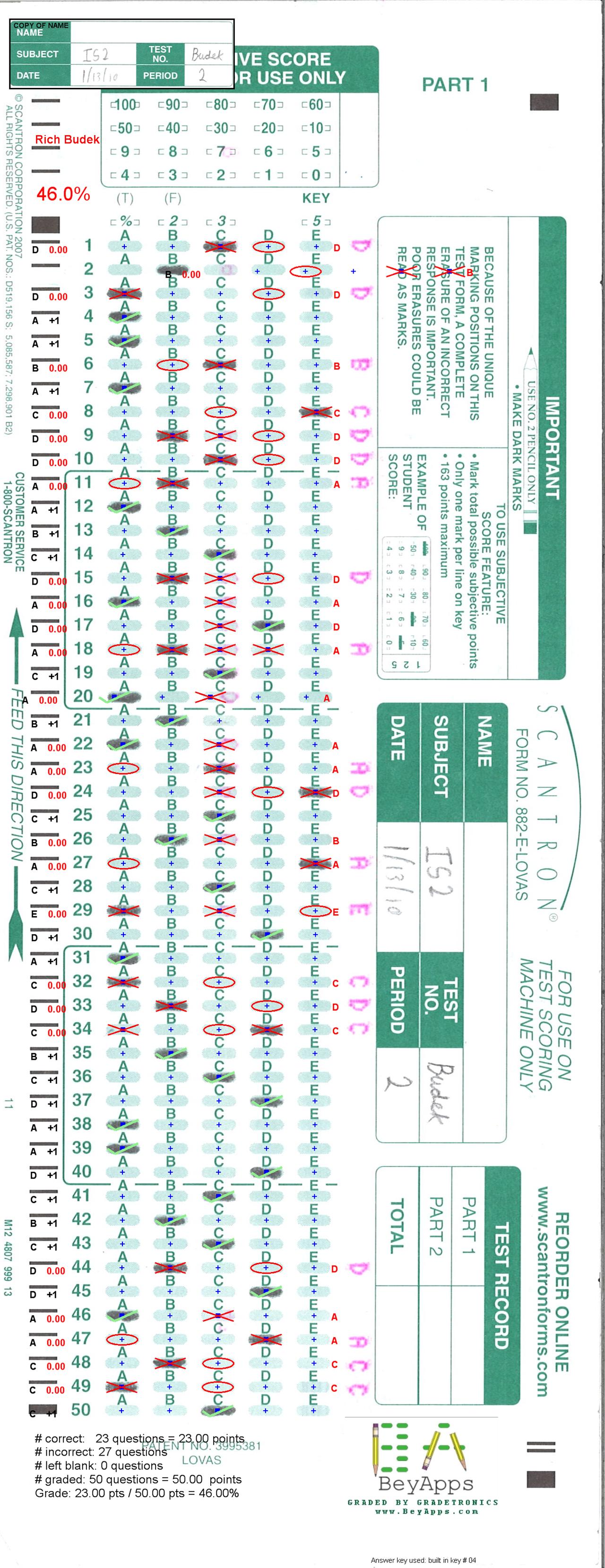
Full scan with pencil
Zoomed version of the same form.
blue cross tick marks = where the software has
located the centers of the bubble
red x = student mark detected and wrong
red oval = should have been marked but left blank
green checkmark = student marked and correct
numbers on left = points for the particular questions
This prevent "cheating" or complaints/arguments from the students.
First, the digital image is created so students can not alter their
marks. Secondly, by circling the wrong answers the teacher can quickly see
if perhaps the student did not mark it could enough.
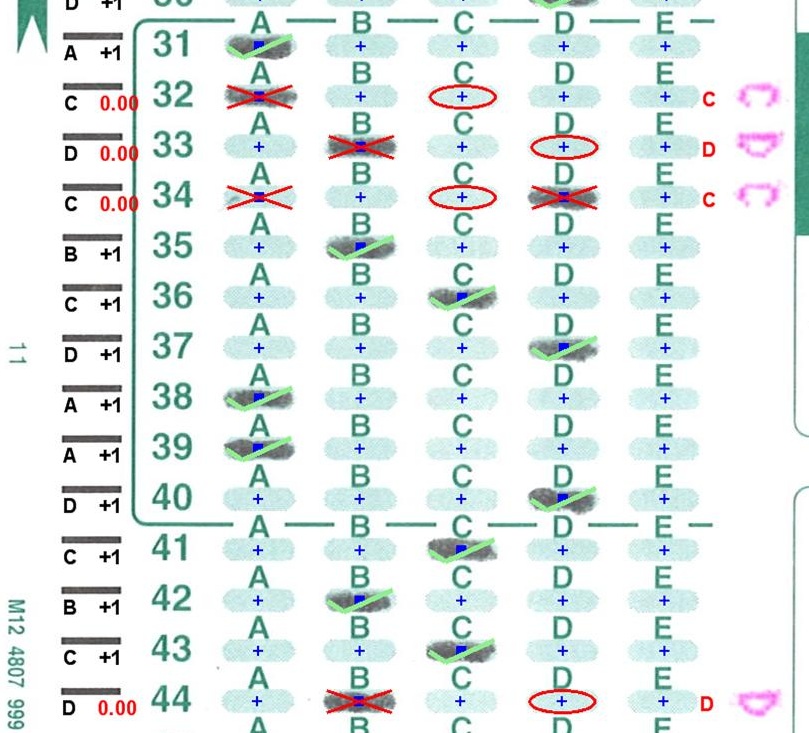
Closeup of pencil grading
Can detect multicolor markings. Teachers no longer had to
specify "use #2 pencil". This is the testing routine and
the cross markings indicate it has found a human made mark.
Notice that it even detects GREEN marks !
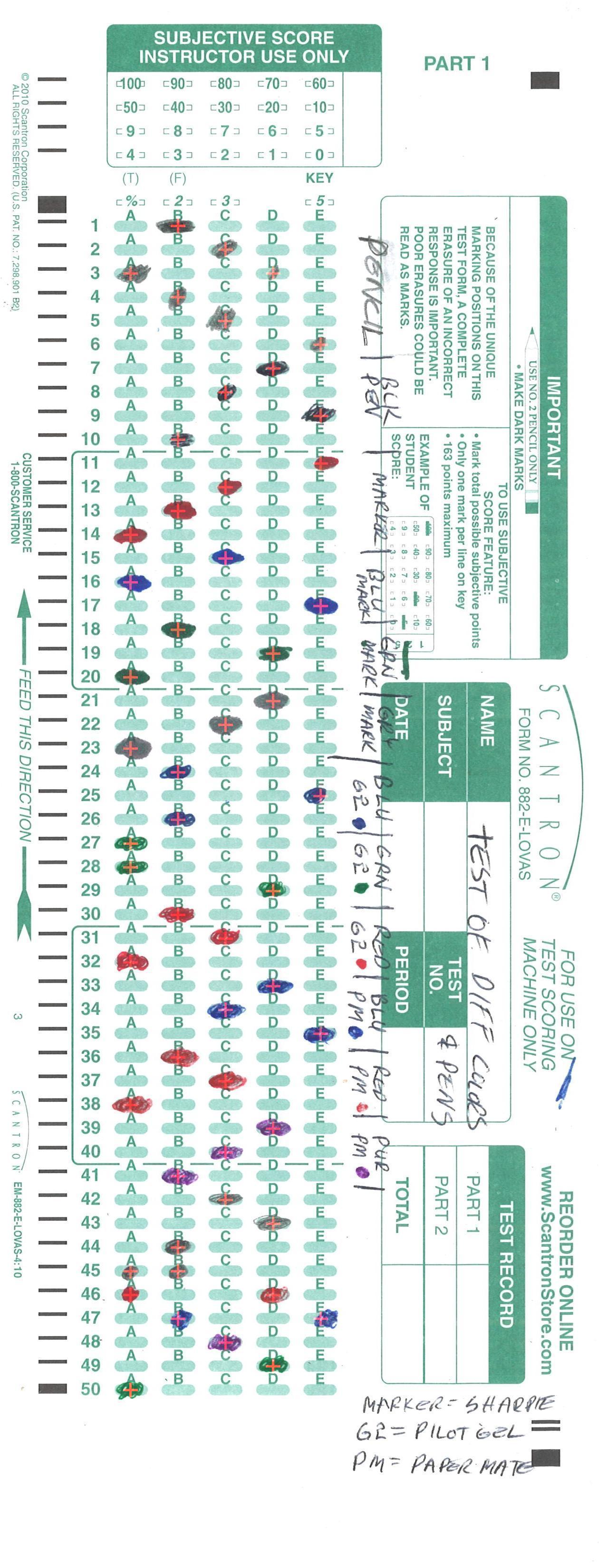
Multicolor Testing
Close up of the multicolor detection. The cross markings show were the app
detected the human markings. Notice that it even detects the green
markings on green background. This is possible because of my uniformity coefficient.
It looks for how uniform the printing is. No matter how dark the mark is, a human mark is never
uniform if examined by my algorithm. So, the color of the marking does not matter no matter what color
the background is.
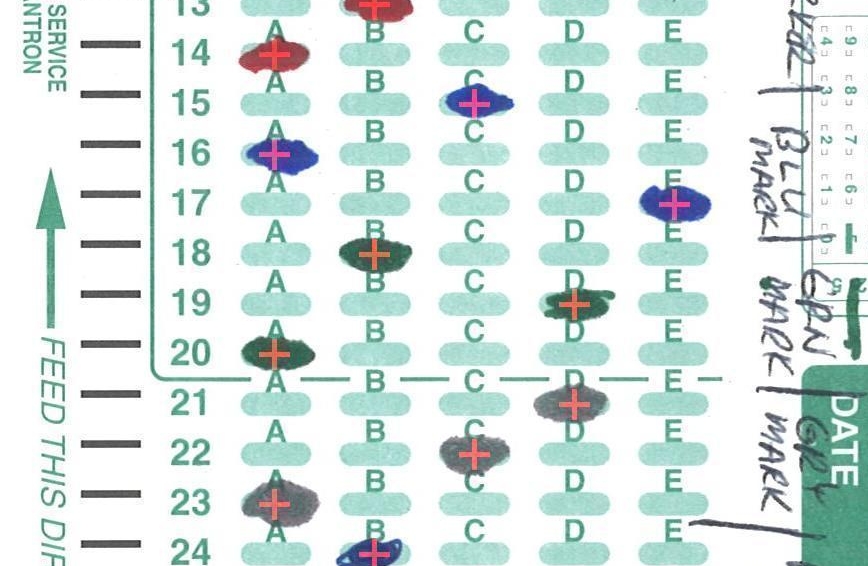
Multicolor Closeup
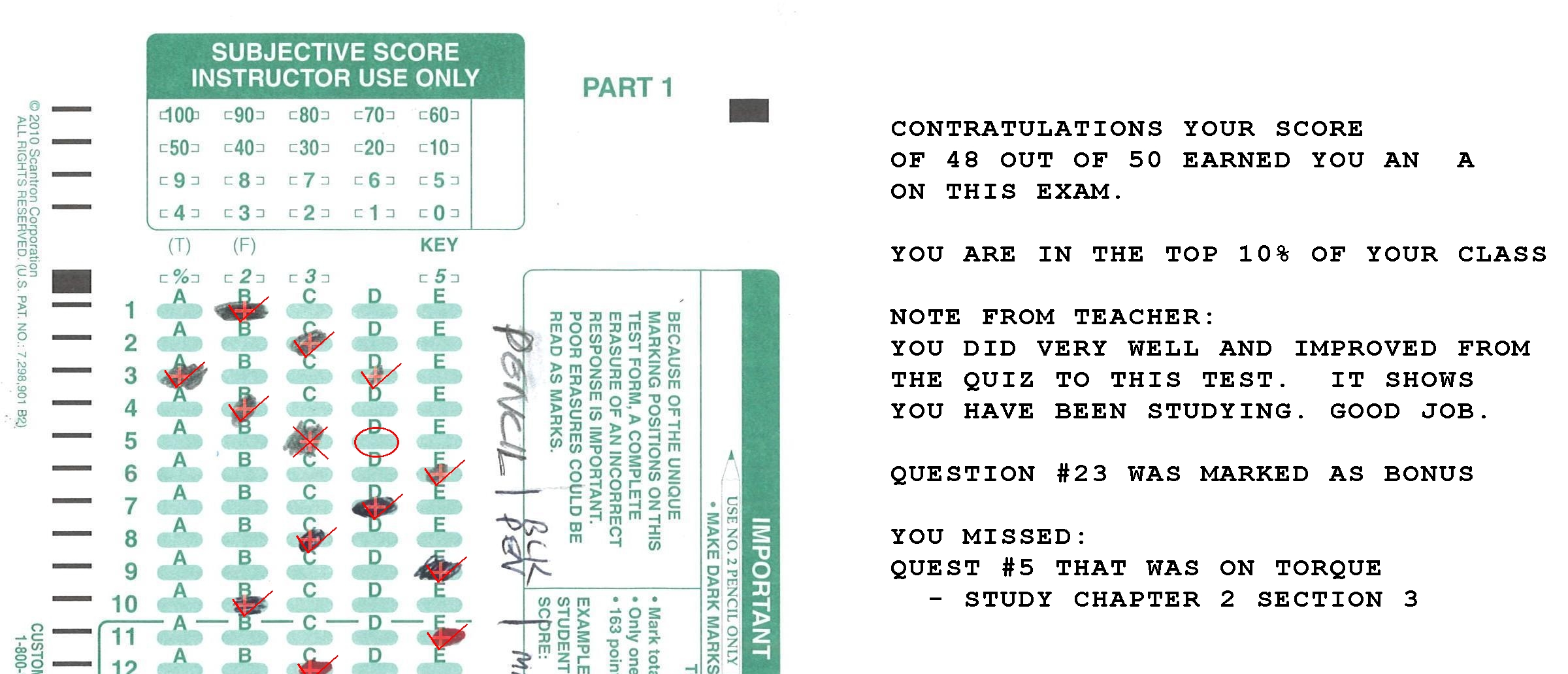
Graded report on the test itself. After grading the test, a mini-report
with comments is pasted onto the image. If the teacher entered what subject
each question is for, the report can tell the student what subject areas they
should study.
Graded Report
Connect with Me